How to reset the IP address using the UART interface.
Equipment Needed
- USB to UART adapter
- Jumper wires
- Serial terminal software (e.g., screen, minicom, PuTTY)
Connection
Wiring
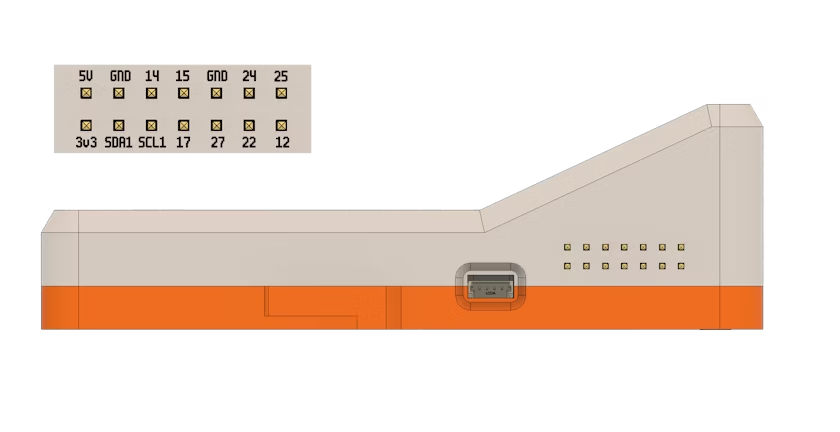
Connect your UART adapter to the Distiller:
- GND → GND
- RX → TX (GPIO 14)
- TX → RX (GPIO 15)
Warning: Do NOT connect the VCC pin.
Alternatively, connect to the UART Port on the Raspberry Pi Debug Probe
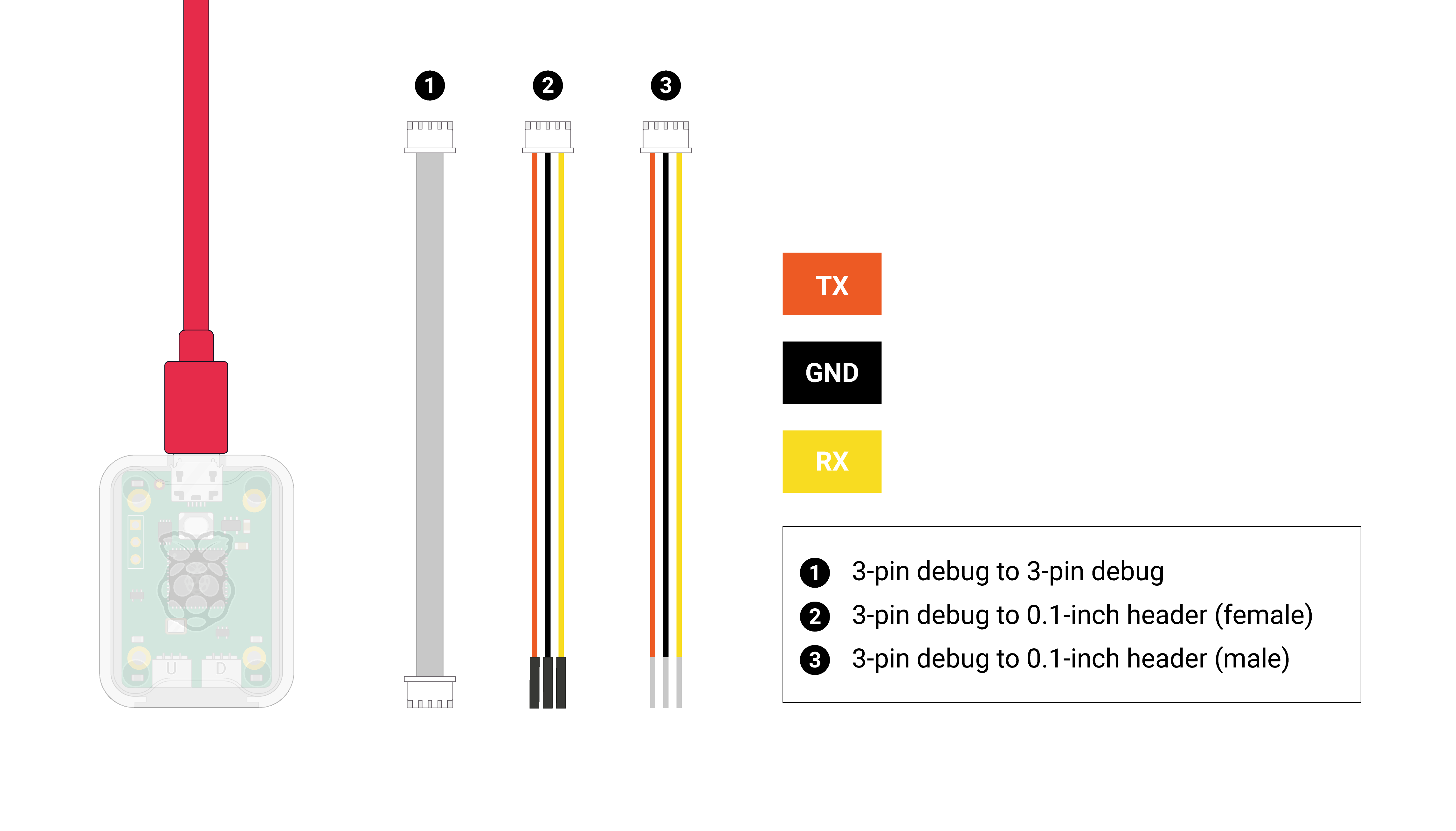
Steps
1. Connect to Serial Console
screen /dev/ttyUSB0 1152002. Access the Configuration
[Add your specific steps]
3. Reset IP Address
[Add reset commands]
Verification
Check that the new IP address is active:
ip addr show